AI Product Photography: How to Preserve Consumer Trust
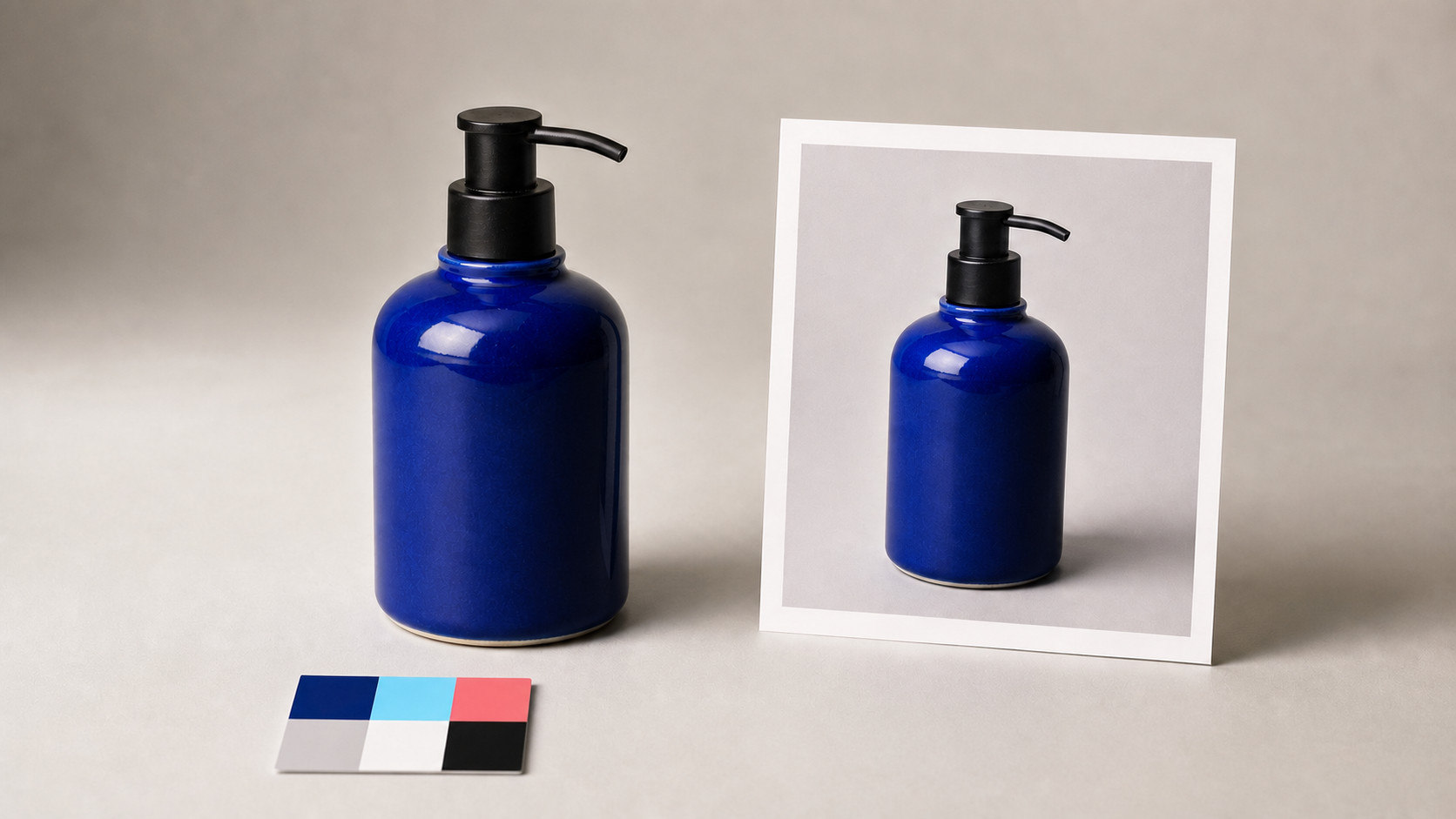
AI can reduce the time required to prepare product images, but speed is not the standard customers use to judge a listing. They need the photograph to answer a practical question: is this the product I will receive?
Authentic product photography does not require every pixel to come directly from a camera. It requires edits to preserve every material fact about the item and to avoid creating a misleading overall impression. That standard should shape the workflow before anyone chooses a model or writes a prompt.
Product images are part of the claim
A product image communicates color, scale, shape, materials, included components, finish, and expected condition. Changing any of those can change the offer even if the written description remains accurate.
The US Federal Trade Commission states that advertising claims must be truthful, non-deceptive, and supported by evidence. Its advertising guidance also explains that a material representation or omission can be deceptive when it is likely to mislead a reasonable consumer. Images contribute to that overall impression.
Marketplace requirements point in the same direction. Google Merchant Center tells sellers to display the entire product accurately, show the correct variant, and avoid generic or placeholder graphics in the main image. Its product image specification is a useful baseline even for stores that do not advertise on Google.
Separate presentation from product truth
Most safe edits change presentation rather than the item:
- remove dust from the sweep or backdrop;
- correct exposure and white balance;
- clean the selection edge;
- resize or crop for a channel;
- place the verified product in a plausible contextual scene.
High-risk edits alter the product itself: changing the label, repairing a manufacturing defect, making fabric smoother, enlarging a component, adding an accessory, changing a surface finish, or showing a color that is not the listed variant. These changes should be blocked or routed to review.
This boundary is clearer when the master product photograph remains immutable. Every AI-assisted output should be a derivative connected to that source.
Start with an accurate source
Photograph the real item from an angle that shows its distinguishing features. Use a neutral setup, controlled light, and enough resolution to inspect labels and materials. If the product is reflective or translucent, capture references that show how it behaves under real light.
For a catalog with variants, pair each source with the correct SKU. A blue item should not inherit the image for a green item simply because the geometry matches. Keep reference data for color, dimensions, packaging version, and included components with the asset.
A clean source makes subsequent automation safer. Background removal can work from real edges, and a generated scene can be built around the verified product rather than asking a model to invent the product from text.
Define product-preservation invariants
Before processing, write down what must not change. A useful invariant set includes:
- silhouette, proportions, and camera angle;
- brand marks, label copy, and packaging structure;
- variant color and material texture;
- number of parts and included accessories;
- closures, controls, ports, seams, and surface finish;
- defects or wear that affect the advertised condition.
These constraints belong in both the prompt and the automated checks. Some properties, such as image dimensions or alpha, are easy to validate in code. Others need visual comparison or a person who knows the product.
Use context without inventing capability
A contextual background can help a shopper understand scale and use. It becomes misleading when the scene implies performance or included items the seller cannot support.
For example, a skincare bottle on a clean bathroom shelf is usually a presentation choice. Condensation that suggests refrigeration, splashing water that implies waterproofing, or a medical setting that implies a health benefit may communicate additional claims. The background should support the real use case rather than manufacture one.
Use the AI product photography tool or an AI background generator with a real cutout, then compare the composite with the source. Check contact shadows, reflections, scale, and perspective. A correct product floating in an impossible scene still reduces credibility.
Build a review gate
Automated quality checks should reject obvious failures before an image reaches a reviewer. Test file format, target dimensions, crop safety, transparency, and whether required product regions remain present. Compare the derivative with the source using fixed landmarks around the silhouette, label, and functional details.
The reviewer should then ask:
- Is it unmistakably the same SKU and variant?
- Are label text, logos, geometry, materials, and included parts unchanged?
- Does the scene imply a feature, scale, or use that the listing does not support?
- Do light direction, contact shadow, and reflection agree?
- Would a reasonable shopper expect the delivered product to look like this?
Record rejection reasons. If “cap changed shape” appears repeatedly, make cap preservation explicit and adjust the tool or workflow rather than relying on reviewers to catch the same error forever.
Disclosure and provenance
Disclosure requirements vary by jurisdiction, channel, and use. A label does not make a misleading product image acceptable, and the absence of a label does not remove the need for truthful presentation. Get legal advice for the markets and claims that matter to your business.
Provenance can improve internal accountability. Keep the source, processing history, model or tool version, prompt, approval, and published derivative. Content Credentials based on the C2PA specification can carry signed provenance information, although provenance does not by itself prove that a product claim is true.
For a deeper look at this distinction, see our guide to AI image editing and false advertising.
A practical authenticity workflow
- Capture and archive the real product master.
- Attach the correct SKU, variant, and preservation invariants.
- Create a derivative for one defined channel and purpose.
- Apply only the requested presentation edits.
- Run automated comparisons and policy checks.
- Require review for product-changing differences or unsupported contextual claims.
- Publish the approved derivative while retaining provenance and rollback history.
This workflow scales because it treats authenticity as data and process, not as a vague preference for “realistic” images.
Trust comes from consistency with reality
The safest use of AI in product photography is not to invent a better product. It is to present the real one clearly, consistently, and in the context customers need. Preserve the source, define what cannot change, test the derivative, and keep uncertain edits out of automatic publishing.
That approach still leaves room for cleaner backgrounds, better crops, channel-specific exports, and carefully generated scenes. It simply keeps the product itself at the center of the workflow.
