Reasoning Models vs. Generative AI: The Next Era of Photo Restoration
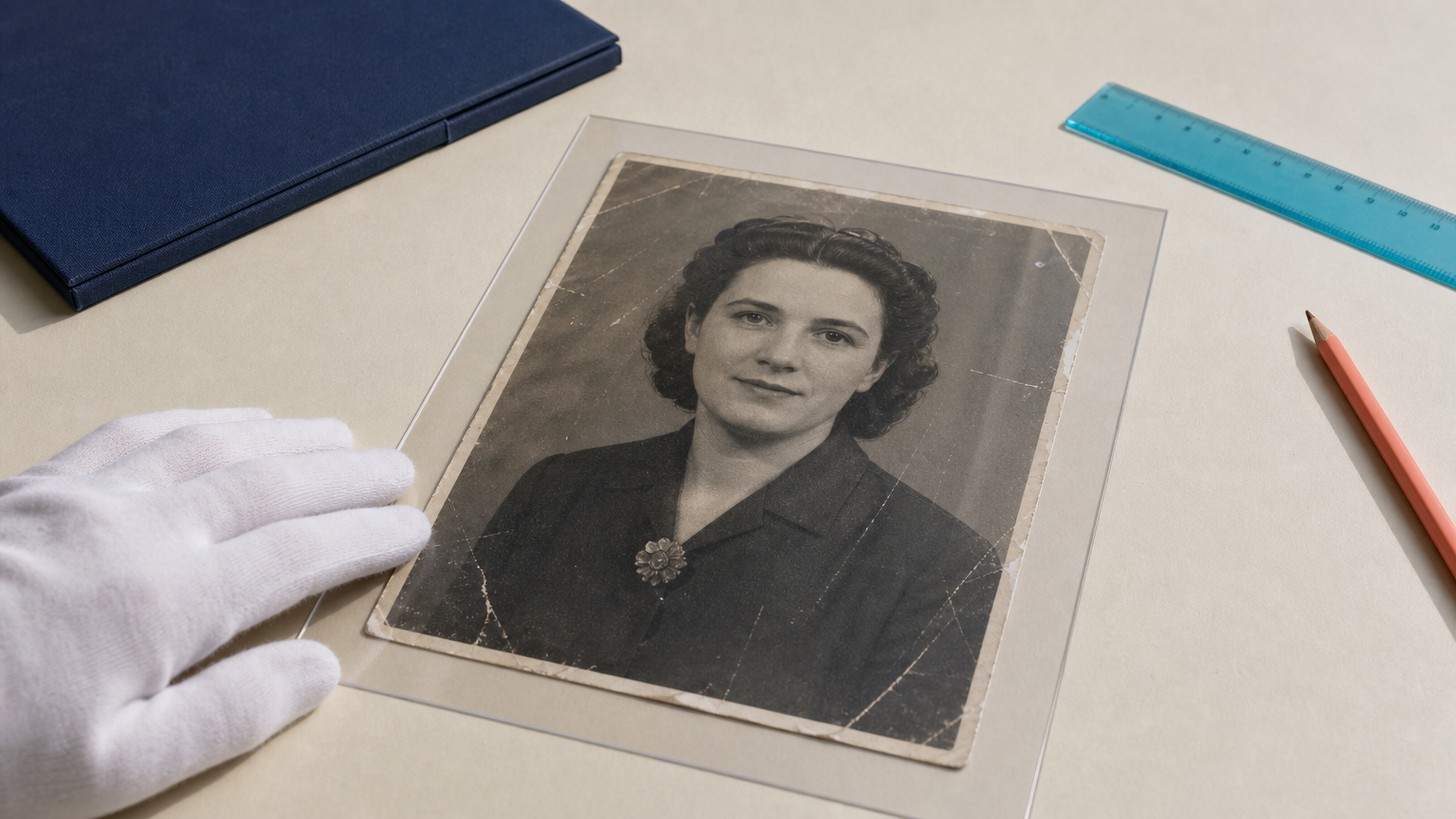
Old photographs are not simply low-quality images. They can be family records, archive materials, or the only visual evidence of a person, place, or event. That changes what a good restoration means. The goal is not to make every face look newly photographed. It is to make damage less distracting while preserving what the source can genuinely support.
This is why AI photo restoration reasoning models are becoming a useful way to think about restoration workflows. The phrase does not describe a single, universal technology. It describes a preservation-first approach: inspect the evidence in the image, make limited corrections, and keep uncertainty visible instead of replacing it with plausible-looking invention.
Why photo restoration needs more than visual plausibility
Generative AI is designed to create convincing images. In the right setting, that is valuable. A creative campaign, a fictional scene, or a missing background in a clearly labeled reconstruction may benefit from a model that can synthesize new pixels.
Historical restoration has a different standard. A face in a faded print may contain only partial information. If a system invents eyelashes, teeth, skin texture, uniform details, or jewelry that were not present in the scan, the result may look polished while becoming less reliable as a record.
That distinction matters to archivists, genealogists, and professional photo editors. A restoration can be attractive without being faithful. The safest question is not “Does this look real?” but “Which parts of this result are supported by the original image?”
Reasoning models vs. generative AI: a practical distinction
In photo restoration, “reasoning” should not be treated as a guarantee that an AI system understands history or can verify identity. It is better understood as a workflow principle. The system and the editor should evaluate the source before deciding what to change.
Generative AI prioritizes a credible completion
Generative methods can fill gaps by drawing on patterns learned from many other images. That can be helpful for creative reconstruction, but it also creates risk when the missing detail is historically important. A believable face is not necessarily the same person. A believable period detail is not proof that it appeared in the original photograph.
Evidence-led restoration prioritizes the source
An evidence-led workflow focuses on operations that can improve access to the existing image: enlarging a small scan, reducing noise, balancing a color cast, improving contrast, or making an edge easier to inspect. These steps can still change pixels, so they need review. But their intent is different from replacing uncertain content with a fully imagined answer.
The boundary is not always sharp. Strong sharpening can create false edges, and colorization can suggest a historical fact that is not known. The answer is not to reject every automated tool. It is to match the tool and the settings to the evidential value of the photo.
A preservation-first restoration workflow
For archival material, a controlled workflow is more useful than a one-click promise. Keep the unedited master, make a working copy, and document any substantial changes.
- Capture the best available source. Scan the original at an appropriate resolution, retain the untouched scan, and note information such as markings, captions, and the physical condition of the print.
- Identify the actual problem. Separate dust, scratches, fading, scanner noise, blur, and missing material. Each problem calls for a different response.
- Start with conservative enhancement. Use tools such as AI Enhancer Studio to improve legibility and tonal balance before considering any creative reconstruction.
- Inspect identity-bearing areas at full size. Eyes, mouths, hairlines, insignia, handwriting, and facial contours deserve closer review because small invented details can change interpretation.
- Separate restoration from reconstruction. If a missing area must be rebuilt with Inpainting Image AI, label it as a reconstruction and retain a version without that intervention.
- Export a clear record. Save the original, the restored derivative, and notes on the operations used. For collections work, that record is part of the result.
Where generative tools still belong
Generative tools are not automatically inappropriate. They can be useful when the output is explicitly interpretive: a museum display mockup, a family-history illustration, a repaired background for a personal keepsake, or a visualization that is not presented as original evidence.
The key is disclosure. If a result contains content that was not visible in the source, the audience should be able to tell. This protects trust and helps future editors distinguish a faithful enhancement from a creative reconstruction.
For example, Prompt Based Edit can support carefully scoped edits when a project calls for an interpretive derivative. That derivative should not replace the preservation master. Treat it as a separate version with a separate purpose.
How to spot a restoration that is guessing
There is no single visual test, but several warning signs deserve attention:
- Skin that becomes uniformly smooth while the rest of the print remains degraded.
- Eyes, teeth, or hair with crisp detail that has no equivalent support elsewhere in the scan.
- Repeated textures or symmetrical details that look statistically neat rather than photographically specific.
- Color choices presented as factual when the original image was black and white.
- Edges that become sharp enough to suggest a new outline, rather than clarifying an existing one.
When a result triggers doubt, compare it with the source at the same crop and magnification. A restrained version that leaves some damage visible can be more useful than an impressive version that obscures uncertainty.
What this shift means for professional restoration
The next era of photo restoration is less about chasing a perfectly clean image and more about making intentional choices. Editors need tools that support inspection, reversible versions, and careful quality control. Families and institutions need a clear distinction between enhancement and invention.
Deep-Image.ai tools can help with practical tasks such as improving resolution and clarity through AI Image Upscale, or applying broad corrections with Auto Enhance. For historically significant images, use any automated output as a reviewed derivative, not as proof of details that the original does not show.
If you are restoring a collection, start with one representative scan and compare conservative settings before processing the rest. A reviewable workflow is slower than an automatic rewrite, but it is far better suited to photographs whose identity and historical context matter.
FAQ
Can AI restore missing facial details accurately?
AI can produce plausible details, but plausibility is not historical verification. Treat facial reconstruction as an interpretive addition unless the detail is clearly supported by the source.
Is upscaling the same as generative reconstruction?
No. Upscaling increases image dimensions and may infer detail, while reconstruction intentionally fills or replaces missing content. Both require review when the image is historically important.
Should I colorize an old black-and-white photo?
Colorization can be useful for engagement or presentation, but it should be labeled as an interpretation. Keep the original black-and-white scan and an uncolorized restoration version.
What files should I keep after restoring an archive photo?
Keep the untouched master scan, the edited working file when available, the final restoration, and notes that explain significant changes. This makes later review possible.
What is the safest first step for a damaged family photo?
Create a high-quality scan and work on a copy. Begin with limited cleanup and tonal correction, then compare every result with the original before making stronger edits.
Restore carefully, then keep the evidence
Good restoration helps people see an old photograph more clearly. It should not silently replace what that photograph can tell us. If you want to test a conservative enhancement workflow, try AI Enhancer Studio on a duplicate of your scan and evaluate the output beside the original.
