How AI Virtual Staging Became the New Standard for Real Estate Listings
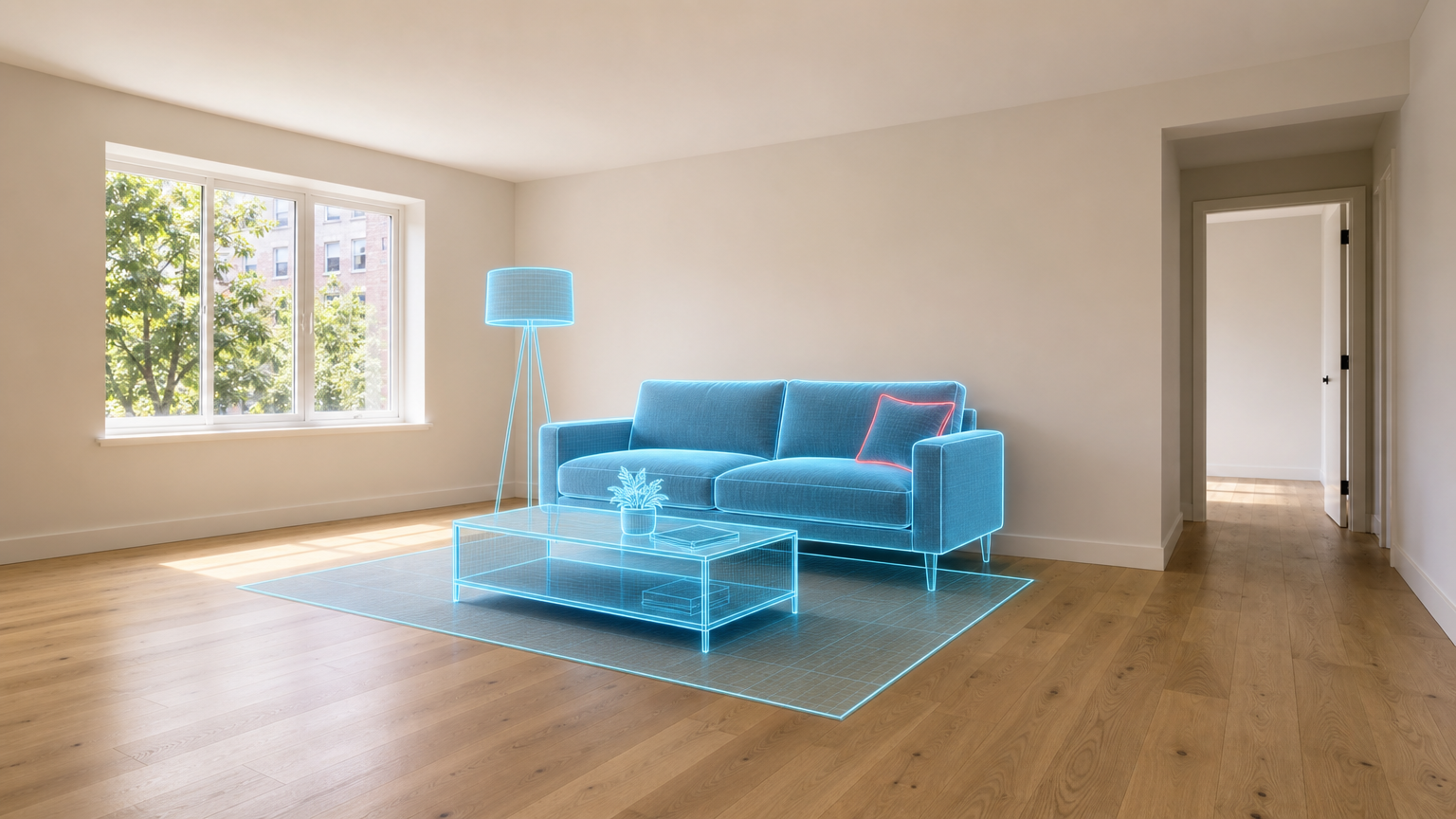
An empty living room can be hard to read online. Buyers may understand the square footage, yet still struggle to picture where a sofa would sit, how a dining area could work, or whether the room has enough usable space. AI virtual staging addresses that gap by adding digital furnishings and decor to a listing photo without moving physical furniture into the property.
That does not make physical staging obsolete, and it does not give agents permission to disguise a home’s condition. It does mean that a once-specialist visual service is becoming a practical part of the listing workflow. Recent platform moves, including Zillow’s acquisition of Virtual Staging AI in October 2024 and its later virtual-staging feature for Showcase listings, show how closely staging technology is now tied to the way buyers browse homes.
What AI virtual staging changes in a listing workflow
Traditional staging requires furniture, delivery, installation, styling, removal, and coordination with the listing schedule. It can be worthwhile for a high-priority property or a home where in-person presentation is central to the sales plan. But it is not equally practical for every vacant listing, remote property, or short marketing window.
AI virtual staging uses an existing property photograph as the starting point. An agent, photographer, or marketer selects a room type and visual direction, then generates a furnished version that is meant to help a viewer understand the room’s potential. The original photo should remain available throughout the workflow. The staged version is an interpretation of how the space could be used, not a replacement for the property itself.
That distinction matters because buyers make decisions from visual evidence. A staged image can make a vacant room easier to understand, but it should never hide damage, change permanent features, alter the view, or imply that furniture is included in the sale.
Why the economics brought virtual staging into everyday use
The cost and coordination of physical staging have always limited where it can be used. VirtualStaging.com, a commercial virtual-staging provider, describes virtual staging as costing about 90% less than physical staging. Exact savings vary by property, location, number of rooms, provider, and the scope of the physical alternative, so this should be treated as a directional comparison rather than a universal budget rule.
The operational advantage is clearer: a team can create a small set of visual directions from the same approved room photo without scheduling furniture delivery or changing the property between shoots. That can be useful when a photographer needs to deliver a listing package quickly, when a seller has already moved out, or when an agent needs alternate visual concepts for different rooms.
It also changes the decision from “Should we stage the whole home?” to “Which images genuinely need help explaining the space?” A good answer may be one staged living room, one bedroom, and the original gallery for everything else.
Platform adoption made the shift more visible
Virtual staging has existed for years, but platform adoption changes how visible the practice is to both agents and buyers. Zillow acquired Virtual Staging AI in October 2024. In September 2025, Zillow launched an AI-powered Virtual Staging feature inside Zillow Showcase, its premium listing experience.
The feature is notable because it is interactive. On selected Showcase listings, shoppers can choose from design styles and compare the original room with an AI-restyled version. The buyer is not asked to assume that the staged scene is the physical room. The interface preserves the relationship between the actual listing photo and a possible furnishing direction.
For real estate marketers, that is a useful model: the best use of AI staging is not to create a more persuasive fiction. It is to make a real space easier to interpret while keeping the underlying property clear.
From a staged picture to a listing asset buyers can trust
Fast generation does not remove the need for review. A staged image should go through the same professional scrutiny as any edited property photo. The reviewer needs to check both the room and the furniture added to it.
- Keep fixed features accurate. Windows, doors, fireplaces, built-ins, flooring, wall lines, fixtures, and visible views must remain true to the original photo.
- Check spatial plausibility. Furniture should sit on the floor, respect door swings and walking paths, and fit the room’s perspective and scale.
- Check light and shadows. Added objects need believable contact shadows and lighting that match the original window direction and room exposure.
- Preserve the property’s condition. Do not remove defects, conceal water damage, change structural elements, or suggest renovations that have not happened.
- Use clear disclosure. Follow the relevant MLS, brokerage, portal, and local requirements, and make the staged nature of the image understandable to viewers.
These checks are not minor production details. A visually attractive image with an impossible sofa placement, a blocked doorway, or altered architecture can reduce trust in the entire listing.
How agents and photographers can use AI staging without overusing it
Not every room needs virtual furniture. Kitchens with strong built-ins, bathrooms with a clear layout, and rooms already furnished well may be more useful as straightforward photographs. AI staging is strongest where an empty or sparsely furnished room leaves buyers unsure about scale or purpose.
A practical workflow starts with a clean, accurate source photo. Photograph the room with level vertical lines, useful natural light, and enough space around key features. Keep the unedited original as the reference. Then create only the staged variations that answer a real buyer question: Can this be a living room? Does the bedroom fit a bed and storage? Could the awkward corner function as a work area?
Apply Design’s Auto Stage illustrates the current direction of these tools: users can upload a room photo, select a room set and style, and receive a staged result in minutes. That speed makes visual experimentation easier, but it should not encourage a “generate until it looks good” approach. Choose one or two purposeful concepts, review them against the actual room, and keep the final gallery consistent.
Where image enhancement fits after staging
Virtual staging and image enhancement solve different problems. Staging helps a buyer imagine furniture and use. Enhancement helps prepare the image itself for presentation by improving the usable quality of a source file or final export.
For example, a real estate photographer may begin with an accurately captured room, create a staged version, then use AI Enhancer Studio to refine the final listing image before upload. If a file needs more usable resolution for a portal, brochure, or large display, AI Image Upscale can help prepare a higher-resolution derivative. Review the final file after every step. Enhancement should improve clarity, not alter permanent property features or make a staged concept appear to be documentary evidence.
If the listing needs a more comprehensive furnishing workflow, Virtual Staging and Real Estate Designer are relevant Deep-Image.ai tools to explore. Use them with the same standards: retain the original, preserve the room’s structure, and disclose the visual change where required.
AI virtual staging is becoming a baseline capability, not a substitute for judgment
Calling AI virtual staging a new standard does not mean every listing must use it. It means agents, photographers, and property marketers increasingly have access to a fast way to show how a room could work, without making physical staging the only option.
The strongest listings will use that capability selectively. They will pair truthful original photography with carefully reviewed staged images, choose furniture that respects the room’s real scale, and make visual changes transparent. That combination gives buyers something more useful than an empty box or a misleading fantasy: a credible view of what the home could become.
If you want to test this workflow, start with one vacant room and one clear buyer question. Keep the original image beside the staged version, review the result at full size, and use Deep-Image.ai tools only where they help the final asset stay clear, accurate, and ready for a property portal.
FAQ
What is AI virtual staging?
AI virtual staging adds digital furniture, decor, and design elements to a real photo of a property. It is commonly used to help buyers understand the potential use and scale of vacant rooms.
Is virtual staging the same as changing the property?
No. Virtual staging should show a possible furnishing direction, not change permanent features, hide defects, or misrepresent the property. The original image should remain available, and the staged image should be disclosed according to applicable rules.
When is AI virtual staging most useful?
It is most useful for empty rooms or rooms whose purpose and scale are hard to understand in a listing photo. A living room, bedroom, dining area, or home office is often a better candidate than every room in the home.
Should I enhance an image before or after virtual staging?
Start with a clean, accurate source image. Once the room layout and staging concept are approved, create any final-resolution derivative or careful enhancement needed for the delivery channel. Review the output after each step.
Do virtually staged listing photos need disclosure?
Requirements vary by MLS, brokerage, portal, and local jurisdiction. Check the rules that apply to your listing and make the staged nature of the image clear to viewers.
