OpenAI Images 2.6 Character Consistency Explained: What It Changes for Social Creators
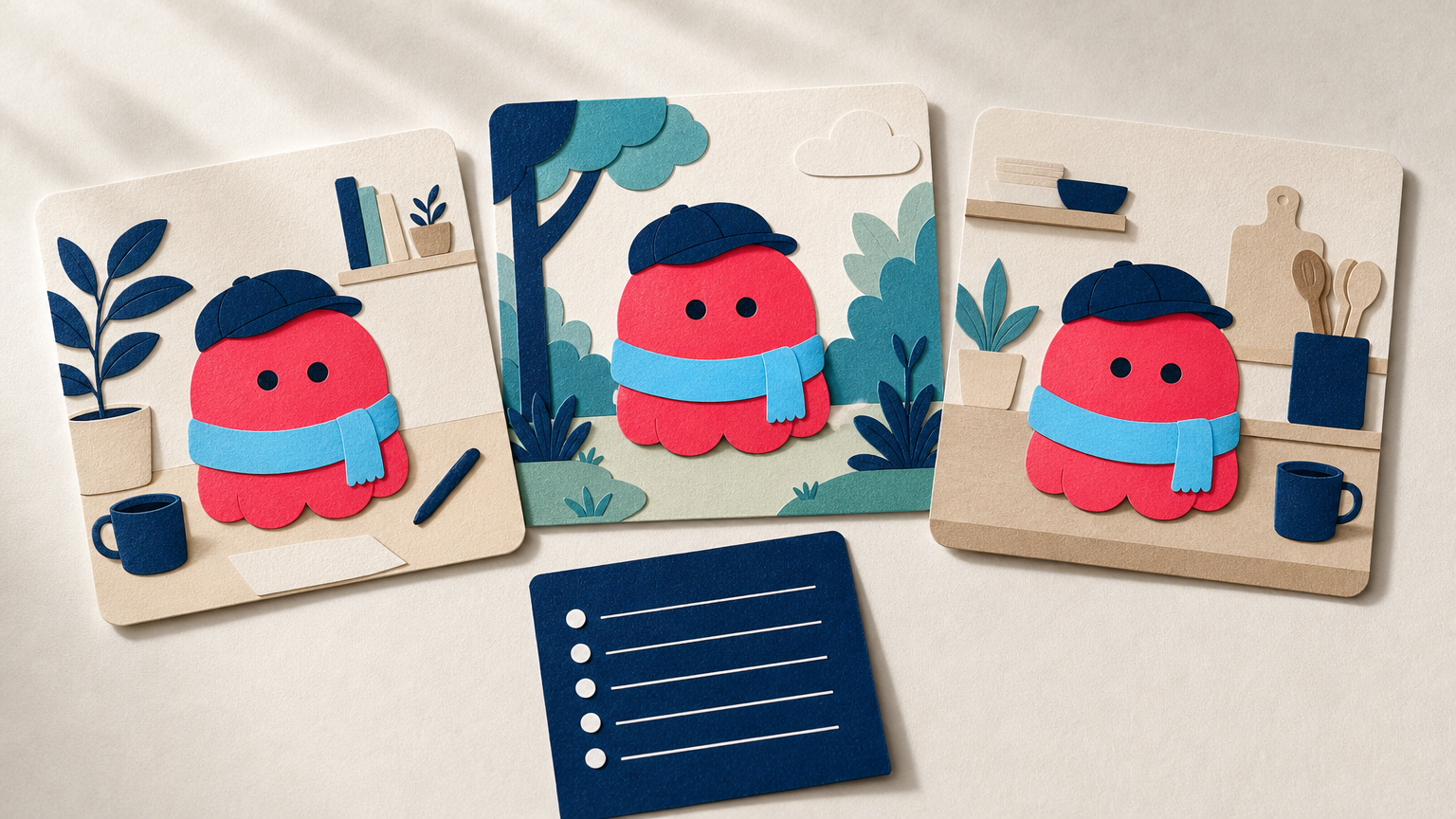
A recurring character can make a social series easier to recognize. It might be a mascot, illustrated host, fictional shop assistant, or a simple character used to introduce weekly tips. The problem has always been that a new image can make that character look almost right while changing the face, outfit, colors, or small details that made it recognizable.
OpenAI announced Images 2.6 on November 4, 2026. The company says the release offers greater precision through editing rounds and can keep characters, products, and brand details more consistent as users edit. For social creators, that is useful progress, but it is not a promise that a character will stay identical in every generated post.
The practical change is this: you can plan a recurring visual series around a trusted reference, then spend your review time on the details that carry recognition. Treat every new output as a new creative asset, not as a verified copy of the original.
What character consistency means in a social series
Character consistency does not mean that every image has the same pose, scene, or expression. It means the audience can still recognize the same subject when the setting changes.
For a mascot or illustrated host, your non-negotiable details may include the silhouette, face shape, signature colors, hairstyle, clothing, accessory, and drawing style. For a real person, the stakes are higher: a generated image should not be presented as a documentary photo of something that happened.
Images 2.6 can make it easier to carry important details through edits, according to OpenAI. But consistency is not a single switch. Small changes can still add up across a campaign, especially after several rounds of revisions.
Build a character reference sheet before you generate a series
Do not begin a campaign with a loose idea such as “make the mascot look friendly.” Choose one approved reference image and write down the features that make it recognizable. This gives you a clear standard for every later image.
- Core silhouette: body shape, proportions, hairstyle, and the elements visible at a glance.
- Signature palette: the two or three colors people associate with the character.
- Distinctive details: glasses, scarf, shoes, badge, prop, or line style.
- Allowed range: which poses, moods, and settings can change without making the character feel like someone new.
- Publishing boundary: whether the visual is clearly illustrative, and how you will label it if viewers could mistake it for a real event.
This is a creative brief, not a technical specification. Its value is that it makes approval faster. A new post either keeps the recognizable anchors or it does not.
A prompt structure that makes review easier
A focused request is easier to evaluate than one that asks for a new character, a new location, a new outfit, and a new visual style at the same time. Start with what must remain, ask for one purposeful change, then name the drift you want to avoid.
Use the approved character reference as the source. Preserve the character's face, silhouette, signature colors, hairstyle, clothing design, accessory, and illustration style. Create one square social post where the character is holding a small paper calendar in a bright home-office setting. Keep the camera at eye level and the composition simple. Do not change the character's identity, add readable text, add new accessories, or alter the brand colors.This is a suggested prompt, not evidence of a tested output. Replace the listed traits with the details from your own reference sheet. If the first version changes too much, reduce the request rather than adding five more scene ideas.
Plan a repeatable series, not isolated posts
A character-led campaign works best when each post has one job. The character can welcome viewers, point to a weekly tip, react to a common problem, or appear in a seasonal variation. The visual system stays recognizable while the message changes.
Try planning three posts before making the first image:
- Base post: a clean, approved reference version with the character in its most recognizable form.
- Context post: the same character in one setting that supports a specific topic, such as a desk for a productivity tip or a kitchen for a recipe post.
- Reaction post: a simple expression or gesture that can be reused in comments, stories, or replies.
Keep the setting and pose changes modest at first. Once you know which details remain stable in your workflow, you can explore a wider range of scenes without losing the series identity.
Review the parts viewers will notice first
OpenAI describes Images 2.6 as offering greater consistency across edits. That can save time, but a good output still needs a human review before it enters a public campaign.
- Compare with the approved reference. Check the silhouette, colors, face, clothing, and accessory before judging whether the new background looks attractive.
- Inspect high-risk details. Look closely at hands, eyes, jewelry, repeated patterns, and any object the character holds. These are common places for visual drift to become obvious.
- Read all visible text. Avoid relying on generated lettering for a headline, product label, or call to action. Add important copy later in your design tool, where it can be proofread.
- Check the post at feed size. A small change that looks harmless when zoomed in can make the character unrecognizable in a fast-scrolling feed.
- Keep the source and the approved version. Save the original reference and the final campaign image separately. That gives you a reliable baseline for the next post.
Do not confuse a consistent character with a factual photograph
A recurring illustrated character is usually a creative device, and the audience expects variation. A generated image of a real person, place, product, or event needs a stricter standard. A model may preserve the overall look of a reference while changing a meaningful detail or creating a scene that did not happen.
If your series uses a real person as inspiration, do not frame the images as candid or documentary photographs. Be especially careful with professional claims, product depictions, endorsements, or event coverage. A visually coherent output is not proof of a factual one.
For a related guide on controlled changes from a source image, see what better reference-photo editing means for everyday creators.
Prepare the reference before you create variations
A stable starting image makes it easier to recognize later drift. If your approved reference needs one controlled change before you build a series, such as a cleaner background, a different color, or simpler lighting, make that change first and save the approved result.
Prompt Based Edit lets you make text-led changes to an image and refine the result step by step. The tool is useful for preparing a still reference or exploring a variation. As with any generative edit, compare the output with your source and check that unmentioned areas have not changed.
Once your reference is ready, write a short series brief, change one important thing per post, and review every image against the same visual anchors. That is how stronger character consistency becomes a practical creative habit rather than a claim you have to trust blindly.
FAQ
Does Images 2.6 guarantee that my mascot will look identical in every post?
No. OpenAI says Images 2.6 improves consistency across edits, but each generated image should still be reviewed. Check the visual traits that make your mascot recognizable before publishing.
What should I preserve in a recurring AI character?
Start with the silhouette, face, signature colors, clothing or accessory, and illustration style. Choose the features your audience would notice first if they changed.
Can I use a real person as a recurring AI character?
You can use a reference creatively when you have the appropriate rights and consent, but do not present generated scenes as documentary photographs. Review likeness, context, and any visible claims carefully before sharing.
Should generated text be part of a character post?
It is safer to add important headlines, labels, and calls to action after generation. That lets you proofread the copy and keep it consistent with your design system.
