Batch Colorization and Era-Specific Restoration for Archival Photos
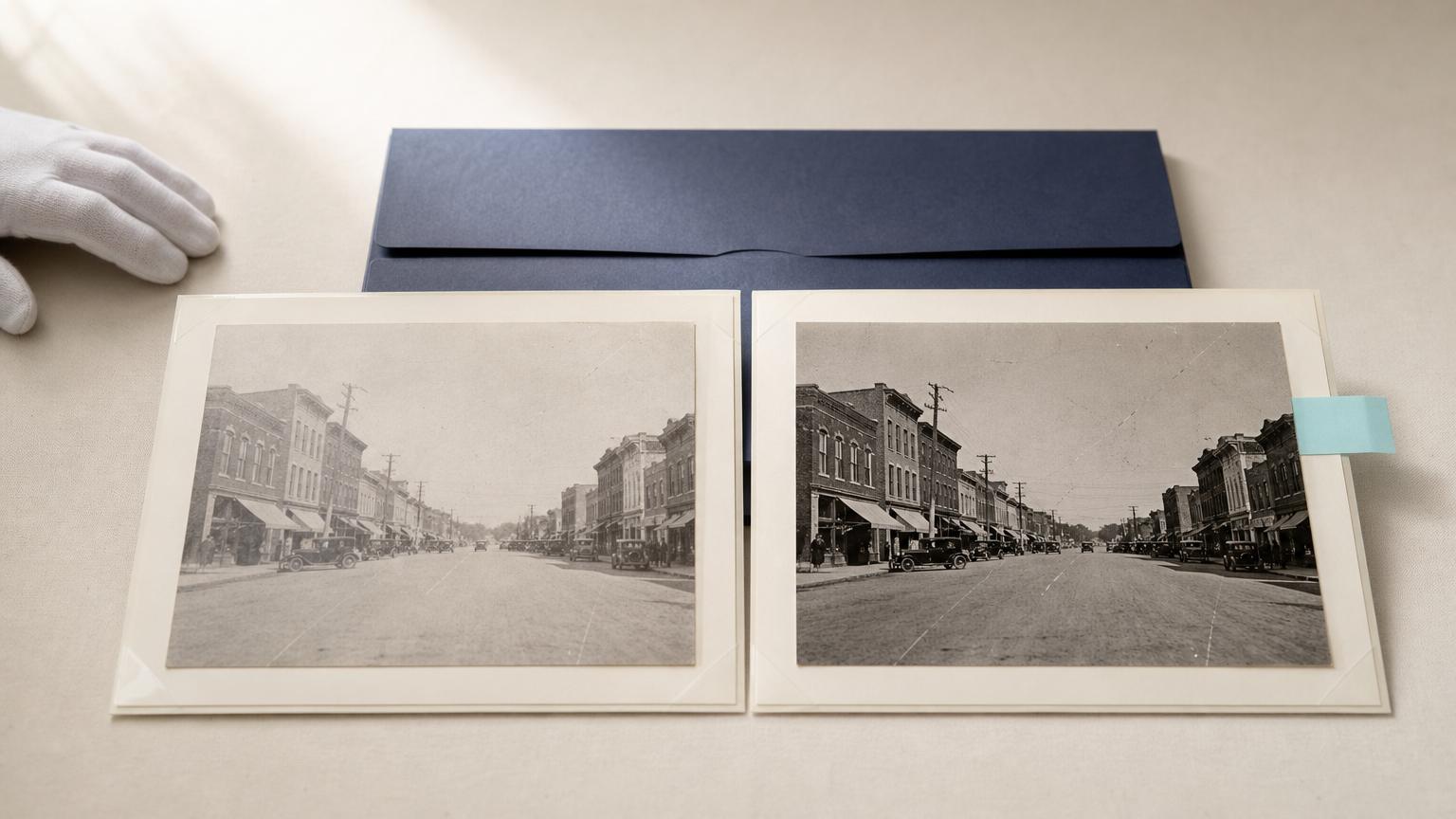
Large photo collections rarely arrive in ideal condition. A single archive may hold faded prints, low-resolution scans, scratched negatives, and albums assembled across decades. Restoring them one by one can be slow, yet treating every file the same can flatten the visual differences that make a collection historically useful.
This guide outlines a careful approach to batch AI photo restoration for archivists, museum curators, and historical societies. The goal is not to replace an original photograph. It is to create clearly documented access copies that are easier to view, share, and interpret, while keeping the source files and the restoration record intact.
Start with two versions: preservation master and access copy
Before building an automated workflow, separate the role of the original scan from the role of the restored image. The preservation master should remain an untouched, high-quality capture of the physical item. It is the reference file for future work, cataloging, and provenance.
The restored file is an access copy. It may receive dust reduction, contrast adjustment, resolution improvement, or colorization for a public exhibition, educational program, or digital collection. That distinction matters because restoration choices can be useful without being historical evidence.
For black-and-white material, colorization deserves an especially clear label. It is an interpretive rendering, not a recovered record of the original scene. Keep it separate from the unaltered scan and describe it consistently in your collection management system.
Define what “era-specific” means before processing
Era-specific restoration is not a filter applied because an image looks old. It is a set of documented decisions about what should remain visible and what should be corrected. The decisions may vary by original process, condition, and intended use.
For example, a workflow may preserve the soft tonal character of an early portrait while reducing scan noise, but use a different approach for a faded color print where the task is to correct an obvious color cast. If film grain is part of the original image character, avoid aggressively smoothing it away. If you use a grain treatment in an access copy, it should support a coherent visual presentation rather than claim to reproduce the exact original film stock.
Create a short restoration policy before the batch begins. Include:
- which changes are allowed in access copies,
- which artifacts should remain visible,
- when colorization is permitted,
- how derivative files are named and labeled, and
- which images require curator review before release.
Prepare the collection for batch AI photo restoration
Batch work succeeds when the inputs are organized. Start by grouping files into batches with similar source characteristics rather than mixing every decade, format, and scan quality in one request. A group of small newspaper clippings needs different review criteria from a group of studio portraits or 1970s color snapshots.
1. Inventory and preserve the source files
Record the original filename, collection identifier, date range if known, rights information, and scan source. Store the preservation master in a stable location and work only from a duplicate. A predictable naming pattern makes it possible to reconnect each derivative to its source later.
2. Sort by condition and image type
Useful batch groups often share a format or problem: faded color photographs, monochrome portraits with low contrast, damaged prints with surface marks, or small scans that need a larger access version. Sorting this way helps you apply a consistent treatment and spot outliers more quickly.
3. Establish a small reviewed sample
Run a representative sample from each group before processing the full set. Review faces, clothing, signage, architecture, shadows, borders, and any fine texture that matters to the collection. If the sample introduces uncertain details or removes meaningful evidence, revise the workflow before scaling it.
Use the API as a controlled batch workflow
An image-processing API can connect a collection system, shared folder, or custom script to a restoration queue. The practical advantage is consistency: files can be sent through the same approved processing path, results can return to a designated location, and every item can retain a connection to its original identifier.
With the Deep-Image.ai API documentation as the technical reference, a team can build a batch workflow around an approved restoration profile. Avoid assuming that one profile fits every archive. The workflow should route each pre-defined group through the treatment that has already passed a sample review.
- Read the collection inventory and select a defined batch.
- Create a working copy and retain the source identifier in the output name or metadata.
- Send the working copy to the approved restoration or enhancement process.
- Save the returned derivative separately from the preservation master.
- Log the batch, date, processing profile, and reviewer status.
- Send exceptions to a human review queue instead of forcing them through the batch.
This structure is also useful for teams that begin with a smaller pilot. You can validate the editorial and curatorial rules first, then connect the workflow to a larger collection once the review process is reliable.
If you need to test restoration settings on a small selection before automation, use AI Enhancer Studio to examine how different enhancement choices affect representative scans. For source images that need more usable dimensions for a web exhibit or reading room display, the AI Image Upscale workflow can be part of the access-copy process.
Colorize with a reviewable historical hypothesis
Colorization can make an image more approachable, but it cannot verify colors that were never recorded. Treat the result as a researched visual hypothesis. When possible, use collection notes, uniforms, local architecture, period catalogs, oral histories, or related images to guide review. Do not add color simply because it looks appealing.
A practical approval rule is to review images containing historically sensitive elements more closely: flags, military insignia, public events, cultural dress, political signage, medical settings, or places that may be misidentified. If the color decision cannot be reasonably supported, publish the monochrome restoration instead, or present the colorized version with an explanatory caption.
Colorization should not conceal uncertainty. A simple description such as “Colorized access copy created from a black-and-white original” helps viewers distinguish the derivative from the source record.
Build quality control into the batch, not after it
Quality control is where a scalable restoration workflow becomes responsible. The point is not to inspect every pixel equally. It is to identify the types of images where automated processing can change meaning, introduce invented detail, or create inconsistent results.
Use a three-level review model
- Automatic checks: confirm that files were processed, named correctly, and stored in the expected destination.
- Spot checks: compare a planned sample of each batch against the source files at normal viewing size and close inspection.
- Exception review: hold images with faces, text, unusual artifacts, sensitive subjects, or questionable colors for curator approval.
Compare the access copy to the original scan, not to an imagined ideal photograph. Watch for altered facial features, invented lettering, distorted objects, missing borders, unnatural skin tones, or detail that becomes more certain than the source supports. When a result is not defensible, reject it and keep the original or use a lighter restoration treatment.
Document the derivative so future staff can understand it
Good documentation lets an archive use AI-assisted derivatives without losing track of what changed. Store the original identifier, the date of processing, the purpose of the derivative, the broad type of edits, and its review status. If colorization was used, say so explicitly.
A concise record might include: “Access derivative. Source: scan of original gelatin silver print. Adjustments: contrast, scratch reduction, and resolution enhancement. Colorization: no. Reviewed by: collections staff.” Your local metadata standard may require more detail, but even a lightweight record makes later decisions easier to audit.
When batch processing is the wrong choice
Some photographs should not be placed in a broad automated batch. Fragile originals, images with extensive handwritten text, culturally sensitive material, forensic or evidentiary images, and photographs intended for scholarly analysis often need more conservative handling. The same applies to images where a small visual change could alter the historical interpretation.
Automation is most useful for a defined, repeatable task. It is less useful when every image requires a different judgement. In those cases, the workflow should still help with file management and review tracking, but the image treatment itself belongs with a specialist.
A practical pilot for archives and historical societies
Start with a limited collection segment, such as 50 to 100 images with similar condition and rights status. Create an approved sample, define your naming and metadata rules, and set aside time for staff review. Measure success by whether the derivatives are useful, traceable, and faithful to the archive’s interpretation policy, not merely by how many files were processed.
Once the pilot is stable, expand in batches. A documented workflow gives your team a way to create more accessible images while protecting the distinction between the historical source and a modern derivative.
If you are planning an API-based restoration pipeline, start with the Deep-Image.ai API documentation, validate an approved sample, and then scale only the steps your archive can review with confidence.
FAQ
Can AI restoration replace the original archival scan?
No. Keep the original scan or preservation master unchanged. AI-restored files should be treated as derivatives created for access, display, or a clearly defined workflow.
Is AI colorization historically accurate?
It can be informed by research, but it does not recover colors that are absent from a black-and-white source. Label colorized results as interpretive derivatives and review sensitive details carefully.
What should be reviewed before releasing a batch?
Review representative samples and any exceptions. Check people, text, uniforms, signage, architecture, borders, shadows, and details that could be invented or changed by processing.
How can an archive keep restored files traceable?
Use stable source identifiers, separate folders or storage locations for masters and derivatives, consistent filenames, and a processing log that records the batch and review status.
Can a small historical society start with batch processing?
Yes. Begin with a narrow pilot and a manageable number of similar images. A clear restoration policy and reliable review process matter more than starting with a large volume.
