Edge Computing and Image APIs: Deploying Vision Models on Low-Power Devices
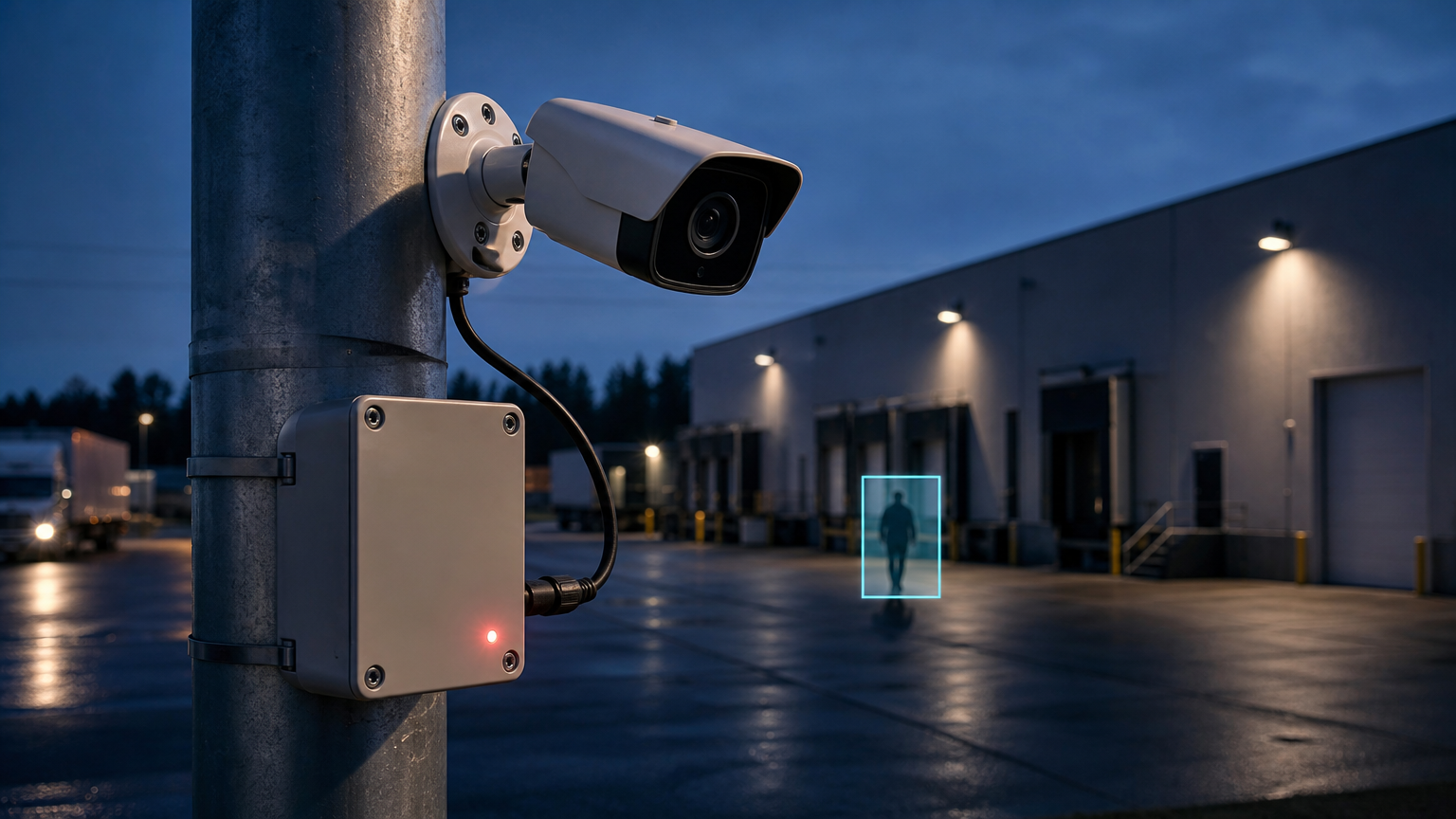
An edge computing image processing API strategy starts with a simple architectural decision: which visual work must happen beside the camera, and which work can wait for a remote service? For software engineers building security cameras, inspection tools, mobile devices, or autonomous systems, that decision affects response time, connectivity requirements, power use, and the amount of image data that leaves the device.
Edge computing does not mean moving every image model onto a small device. It means keeping the time-sensitive, privacy-sensitive, or bandwidth-heavy parts of a vision workflow close to where images are captured. A cloud image API can still play an important role when a task needs a larger model, a less predictable workload, or a result that does not need to arrive immediately.
Why image processing is moving closer to the device
Traditional image API workflows upload an image or video frame, wait for remote processing, then receive a result. That model is useful for batch enhancement, content preparation, and non-urgent automation. It becomes harder to use when an application must react during the capture event itself, or when a connection is intermittent and sending every frame would be wasteful.
In an edge-first design, a compact local model performs an initial visual task such as object detection, classification, tracking, blur detection, or image-quality screening. The device can act on a small structured result rather than continuously transmitting full-resolution frames. A remote service is then reserved for selected images, exception cases, and heavier transformations.
What “edge” means in an image API architecture
For image systems, the edge is the compute environment near the sensor: a camera, phone, embedded GPU board, industrial gateway, or local server. The key distinction is not the exact hardware class. It is whether the application can make an initial decision without a round trip to a distant API.
A practical pipeline often has three layers:
- Capture layer: acquires frames and applies basic controls such as frame sampling, resizing, rotation, or exposure checks.
- Local inference layer: runs a constrained model and produces a confidence score, label, region, or quality signal.
- Cloud processing layer: receives only the images that need deeper analysis, enhancement, archival, or downstream workflow automation.
This split keeps the responsibilities clear. Local inference handles immediate decisions. The cloud handles work that benefits from more compute, centralized policy, or integration with other systems.
Choose the local task before choosing the model
Low-power deployment begins with a narrow operating question, not a model catalog. “Analyze the video” is too broad for a constrained device. “Detect whether a person has entered a restricted zone” or “reject product photos that are too blurred to publish” is a useful starting point because it defines the input, output, and tolerance for error.
That decision shapes every technical tradeoff. A local task should have a small enough output to act on quickly and a clear fallback when the result is uncertain. For example, a device can send a frame to the cloud when confidence is below a threshold, when an event is detected, or when a periodic audit sample is due.
Useful questions for architecture reviews
- What decision must happen before the image can leave the device?
- How much accuracy is required for that local decision?
- What image data is worth sending upstream, and under what conditions?
- What happens when the device is offline, hot, or resource-constrained?
- How will model versions, thresholds, and failure states be observed in production?
Design for constrained hardware, not a demo environment
A vision model that works on a developer workstation may be unsuitable for a deployed device. Memory pressure, sustained thermal load, storage limits, accelerator availability, and camera throughput all change the operating envelope. The goal is not to reproduce a cloud model locally. It is to meet a well-defined local service level with predictable behavior.
Start by profiling the whole path, not only inference. Image decode, color conversion, resize operations, preprocessing, postprocessing, and frame transport can matter as much as the model itself. The same is true of camera timing: processing every frame is often unnecessary when an event detector, tracker, or sampling policy can reduce work safely.
Model packaging also matters. A portable runtime format and a hardware-aware execution provider can help teams target different device classes without rewriting the entire integration. ONNX Runtime documents support for mobile deployment and NVIDIA Jetson targets, including acceleration paths for supported hardware. The important engineering work remains local: validate the actual model, input shape, runtime build, and device configuration you plan to ship.
Use a hybrid image API pattern instead of an all-or-nothing choice
Most production systems benefit from a hybrid path. The edge model filters, prioritizes, or acts on a frame locally. A cloud image API handles the expensive, asynchronous, or centrally managed parts of the workflow.
Consider a site-security example. A local detector can decide that a person is present in a camera zone and trigger an alert immediately. It can then send one selected frame, a short clip reference, or a cropped region to a remote service for further review. The system does not need to upload a continuous video stream merely to detect an event.
The same pattern works in industrial inspection. A compact model can flag a possible defect, while a remote service can perform secondary analysis, store the image with the associated job record, or enrich a report. In both cases, the edge component is an operational gate, not a replacement for every image-processing capability.
Where a Deep-Image.ai API workflow can fit
When a local device has selected an image for remote processing, a cloud API can become the next stage in the workflow. For example, an application may send only approved captures for visual enhancement, background processing, or preparation for a downstream content system. Teams evaluating that integration should begin with the Deep-Image.ai API documentation and confirm the available operations, authentication flow, request limits, and output behavior for their use case.
This division is especially useful when a device needs to keep making local decisions under unstable connectivity but can synchronize selected assets later. Treat the API call as a durable job in the broader system: retain an idempotency strategy where appropriate, record the source asset and processing intent, and make retries safe. For related architecture considerations, see our guide to building idempotent image processing APIs and our overview of webhooks for asynchronous image processing.
Operational safeguards for edge vision
Edge deployments deserve the same operational discipline as cloud services. A device can lose connectivity, be physically replaced, receive a camera with different optics, or encounter scenes that differ from the validation dataset. Build observability around those realities.
- Measure confidence and drift: track confidence distributions and review samples from uncertain cases.
- Separate detection from evidence: store enough context to audit important local decisions without retaining unnecessary imagery.
- Plan version rollout: identify the device model, runtime, and model version that produced each result.
- Keep a safe fallback: define whether the device queues the task, uses a simpler rule, or sends a selected asset to a remote service when local inference is unavailable.
- Test the physical environment: validate real lighting, motion, lens characteristics, bandwidth, and thermal conditions before expanding deployment.
Edge computing changes the role of an image API
In an edge-first system, an image API is not necessarily the first stop for every frame. It becomes a high-value processing stage for images that have passed a local gate, need richer processing, or need to join a centralized workflow. That shift can reduce unnecessary transfers while preserving access to remote compute where it adds the most value.
The best first implementation is usually modest: one narrow local decision, one explicit cloud fallback, and a measurable policy for deciding what crosses the network. Once that path is reliable, teams can extend it to new cameras, devices, and image-processing tasks without turning the architecture into an opaque collection of special cases.
If you are planning a hybrid visual workflow, review the Deep-Image.ai API documentation and map the remote processing step to a clear event, asset-selection rule, and retry policy.
FAQ
What is an edge computing image processing API?
It is an architecture in which some image-processing decisions run near the camera or device, while an API handles selected remote tasks such as deeper processing, orchestration, or integration with other systems.
Should every computer vision model run on the edge?
No. Use local inference for decisions that benefit from immediate response, limited connectivity, or reduced data transfer. Keep cloud processing for tasks that need more compute, central management, or can run asynchronously.
How do I decide which images to send to the cloud?
Send images based on a defined rule, such as a detected event, low-confidence result, quality threshold, audit sample, or user request. Avoid uploading every frame by default unless the application truly requires it.
What should I test before deploying an edge vision workflow?
Test end-to-end timing, image preprocessing, model accuracy, memory use, thermal behavior, connectivity loss, retry behavior, and the real lighting and camera conditions of the target environment.
