How to Integrate AI Image APIs into PIM and DAM Systems
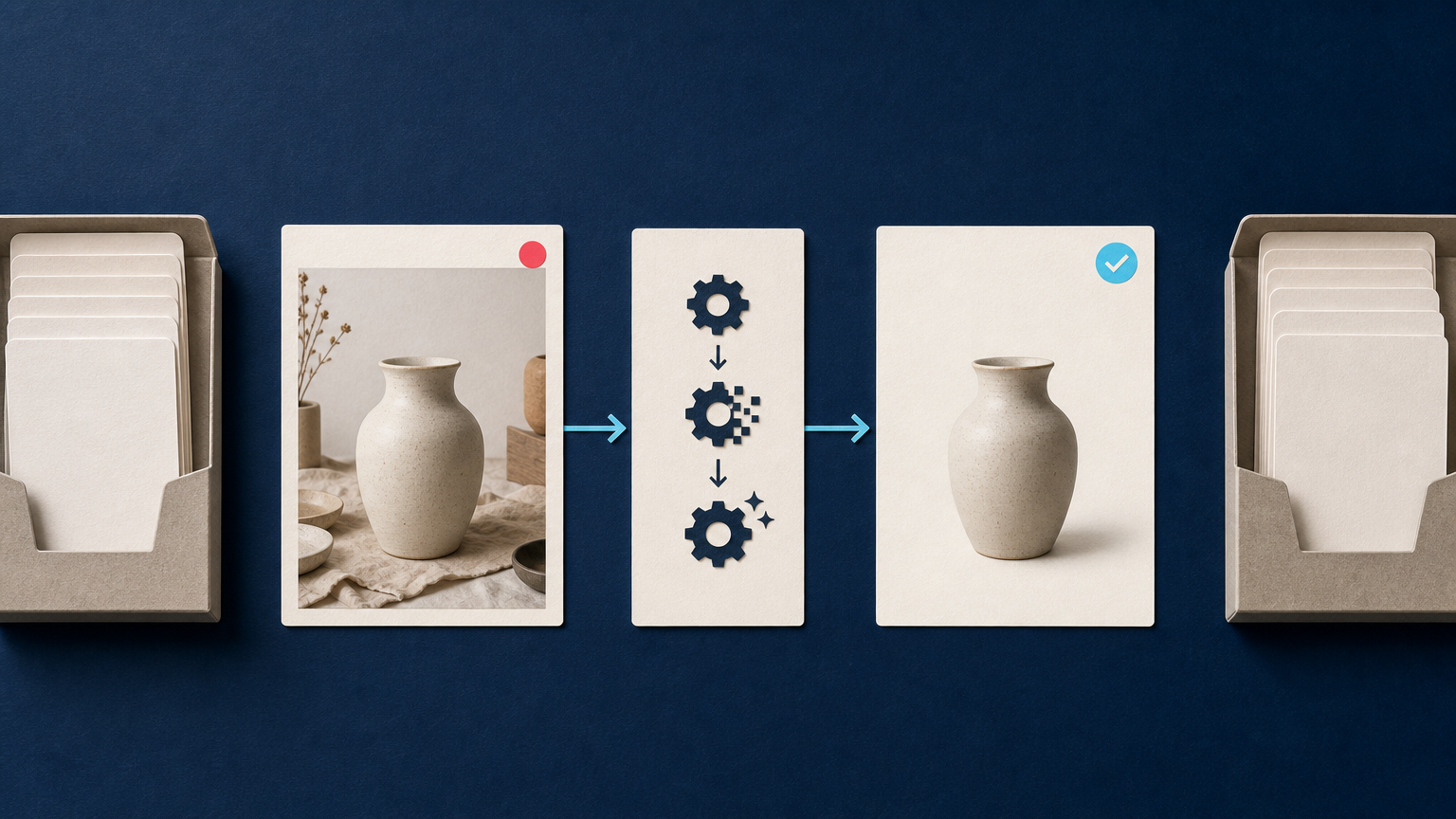
Product images rarely live in one place. A retailer may keep product attributes in a product information management (PIM) system, store source files in a digital asset management (DAM) platform, and publish finished assets to several storefronts or marketplaces. When teams edit images manually between those systems, the work is slow, difficult to audit, and easy to repeat.
An AI image API integration moves image processing into that existing flow. Instead of exporting files to a separate editor, a PIM or DAM can trigger a processing job when an asset reaches the right status, then attach the returned derivative to the correct product or asset record. The goal is not to automate every decision. It is to make routine, repeatable transformations traceable and easier to review.
This guide is for e-commerce developers and technical managers designing that connection. It covers the architecture, job lifecycle, data model, quality checks, and rollout decisions that matter before a workflow reaches production.
Start with the roles of PIM, DAM, and the image API
These systems solve different problems, so an integration works best when each system keeps a clear role.
- PIM: the product record, identifiers, channel attributes, and publishing state.
- DAM: the source asset, approved derivatives, rights information, metadata, and version history.
- AI image API: the processing service that creates a requested derivative, such as a resized file, an enhanced image, or an image with its background removed.
A useful rule is to avoid treating the API as the system of record. The PIM and DAM should remain responsible for product and asset truth. The API receives an input plus a processing profile, then returns a result that the integration can validate and store.
For example, a product record may move to ready for image preparation. The integration finds its master asset in the DAM, submits that asset to the API using the correct channel profile, waits for completion, and writes the approved derivative back to the DAM. The PIM can then reference that approved derivative when the product is ready to publish.
Define image profiles before you write the integration
The biggest source of inconsistency is not the API call. It is unclear policy. A “marketplace-ready image” can mean different dimensions, background rules, crops, file types, or review requirements depending on the channel and product category.
Create named image profiles that business and technical teams can both understand. Examples include marketplace-main-white, storefront-detail-square, and catalog-thumbnail. Each profile should identify the output dimensions, format, background treatment, crop or padding rule, enhancement options, and whether human approval is required.
Keep those profiles in configuration rather than hard-coding them inside a connector. That lets a channel manager adjust a policy without creating a new integration branch for every marketplace or campaign.
Separate source assets from generated derivatives
Never overwrite the original image. Store the untouched file as the master asset, then create a separate derivative for every processed version. The derivative record should retain a link to the source asset and record the profile used to create it.
This distinction matters when a product is re-photographed, a channel changes its requirements, or a quality issue is found later. You can regenerate the derivative from the right source instead of trying to reverse an earlier edit.
Choose an event that starts processing
Good integrations start from a meaningful business event, not simply from every file upload. A DAM upload may still be a rough source image. A PIM product may be incomplete. Triggering too early creates unnecessary jobs and derivatives that cannot be used.
Common triggers include:
- a new asset is attached to an approved product record;
- an asset receives an approved-for-processing status in the DAM;
- a product becomes ready for a specific sales channel;
- a channel profile changes and existing derivatives need regeneration.
The trigger should send a stable product ID, asset ID, source version, requested profile, and correlation ID. Those values make it possible to trace one output back through every system involved.
Design for asynchronous jobs, not one long request
Image processing may complete quickly, but a production workflow should assume that it can take longer. A dependable integration submits a job, stores the job reference, and handles completion separately.
The Deep-Image.ai API documents both an immediate-result processing method and an asynchronous job method. When a result is not immediately available, the workflow can use the job identifier to retrieve its status instead of submitting the same image again. The documentation also recommends webhooks as a way to receive results when they are ready. Review the API methods and integration guidance before mapping the calls into your connector.
A practical job state model might include:
- Queued: the PIM or DAM event has been accepted.
- Submitted: the API request and source version were recorded.
- Processing: a job reference exists and is waiting for completion.
- Validated: the output passed technical and visual checks.
- Approved: the derivative was attached to the DAM and is available to the PIM.
- Needs review or failed: a person or retry policy must decide the next action.
This state belongs in an integration log, workflow service, or the automation capabilities of your PIM or DAM. Do not rely on a user interface notification as the only job record.
Map the request to a channel-specific output
Your connector should translate the named image profile into a request payload. For a straightforward catalog image, that may mean a target width and height, an output format, a centering rule, and background removal to a white or transparent output.
Deep-Image.ai documents background removal settings and options for compositing the result onto a specified color. Its background-removal documentation also describes item cropping and padding for placing an object within a chosen canvas. That combination is useful when a catalog needs visually consistent spacing around differently shaped products. See the product photo and background API use case for the documented workflow.
Be cautious with generative changes. A clean background, resize, or technical enhancement may fit a standardized workflow. A generated scene or materially altered product detail deserves a separate policy and often human review. The integration should identify that distinction in the profile name and derivative metadata.
Use storage references where they reduce unnecessary file handling
Moving large files through several application servers can add cost, delay, and security exposure. Where your architecture supports it, pass controlled storage references rather than copying the original image through an extra temporary location.
Deep-Image.ai documents API storage paths that can load an input from connected storage and write results to a target storage location. This can help a workflow keep source and output movement inside the storage layer rather than exposing a public source URL. Read the storage integration documentation to confirm the storage model and supported configuration for your environment.
Even with storage-based processing, preserve the same control fields: source version, target location, requested profile, job reference, and output checksum or equivalent identifier if your platform supports it.
Add quality gates before publishing derivatives
Automation should create a reviewable candidate, not silently replace a production image. Your quality gate can be lightweight for routine assets and stricter for high-risk categories.
Technical checks
- Confirm the output file exists and can be read.
- Verify dimensions, file type, and file size against the selected profile.
- Check that the returned derivative is linked to the expected product and source version.
- Reject outputs that do not meet required transparency or background rules.
Visual checks
Use a review queue for images where the subject is difficult to isolate, reflective, transparent, unusually shaped, or likely to be misinterpreted. Reviewers should look for edge artifacts, missing parts, incorrect crops, unwanted shadows, or changes that make the product less faithful to the source.
This is especially important for main marketplace images. A technically valid file may still be a poor product representation. If your use case is background removal, the Remove Background API documentation is a useful starting point for mapping the requested background treatment, but it does not remove the need for category-specific QA.
Make retries safe with idempotency and versioning
Events can be delivered twice. Webhooks can be retried. A user can update an asset while a previous job is still processing. Without guardrails, those normal events can produce duplicate derivatives or let an older result overwrite a newer source.
Create an idempotency key from values such as the asset ID, source version, processing profile, and target channel. Before submitting a new job, check whether that exact combination has already completed or is already in progress. When a result returns, confirm that its source version still matches the current approved asset before attaching it.
Versioning also makes reprocessing intentional. If a policy changes from a 2000-pixel output to a different size, create a new profile version. That gives teams a clear way to identify which derivatives were made under the earlier rule.
Roll out one asset type at a time
Begin with a narrow workflow: one channel, one product category, one image role, and one profile. Measure operational outcomes that you can actually verify, such as job completion, review exceptions, and the percentage of outputs that meet the defined technical checks. Do not start by attempting to automate every catalog image.
Once the first path is stable, add other profiles, categories, and destination channels. The same integration pattern can support image enhancement, resizing, background removal, and standardized product framing, but each transformation should have its own policy and acceptance criteria.
A reference workflow for PIM and DAM teams
- A product manager marks a SKU ready for a channel in the PIM.
- The connector resolves the approved master asset in the DAM and records its version.
- The connector selects the channel-specific image profile.
- The source image and profile are sent to the AI image API, with a correlation and idempotency key.
- The integration records the job and waits for a webhook or checks the documented result endpoint.
- When processing completes, technical rules validate the returned derivative.
- The derivative is stored in the DAM with its source relationship, profile version, and job reference.
- If the profile requires it, a reviewer approves the result.
- The PIM receives the approved derivative reference and can publish it to the intended channel.
This pattern keeps image operations close to the product and asset records that teams already manage. It also leaves a usable audit trail when a result needs to be regenerated or reviewed.
Build the integration around control, not just speed
The value of an AI image API integration is not simply that it can process many files. It is that repeated image requirements become part of a controlled product-data workflow. Clear profiles, source-to-derivative relationships, asynchronous job tracking, quality gates, and safe retries turn image automation into something technical and merchandising teams can trust.
If you are planning your first workflow, start with the Deep-Image.ai API documentation, define one output profile, and test it on a representative set of real product images. For hands-on background-removal testing, you can also explore the Remove Background tool before implementing the API path.
FAQ
Should the PIM or DAM call the AI image API?
Either can initiate the workflow. Choose the system that owns the event you care about most. A PIM is often the better trigger for channel readiness, while a DAM is often the better trigger for asset approval and version changes.
Should processed images replace the original asset?
No. Keep the original master asset and store processed files as derivatives with a recorded source relationship and profile version.
How do we prevent duplicate processing jobs?
Use an idempotency key based on the source asset version, selected profile, and destination. Store it with the submitted job and reuse the existing job when the same request is repeated.
When is a human review step necessary?
Use review when the product has complex edges, reflective or transparent materials, strict channel rules, or any processing profile that could materially change the product presentation.
Can one integration support several marketplaces?
Yes. Treat each marketplace or use case as a separately versioned image profile. The integration can share the same job and validation framework while applying different output rules.
