Minimalist AI Product Photography: A Practical Workflow

Minimalist product photography is not simply a product placed on a white background. The useful version of minimalism removes visual competition while preserving the information a shopper needs: shape, color, material, scale, and finish.
AI can make this look easier to produce across a large catalog. It can isolate the subject, rebuild a background, correct exposure, add a controlled shadow, and create delivery sizes. It can also introduce false texture, distorted labels, and inconsistent proportions. A strong workflow uses AI for repeatable production tasks while protecting the product itself from unnecessary invention.
What minimalist product photography needs to communicate
A clean image should answer basic buying questions quickly. Is the surface matte or glossy? Are the edges hard or soft? Which parts are transparent? How does the object stand on a surface? If the image removes those signals in pursuit of a smooth aesthetic, it is no longer doing its job.
The composition usually has one dominant subject, generous negative space, a limited color palette, and a clear light direction. Background and shadow support the object instead of becoming a second subject. This makes the image easier to scan in a product grid and leaves room for responsive crops used by marketplaces, ads, and social channels.
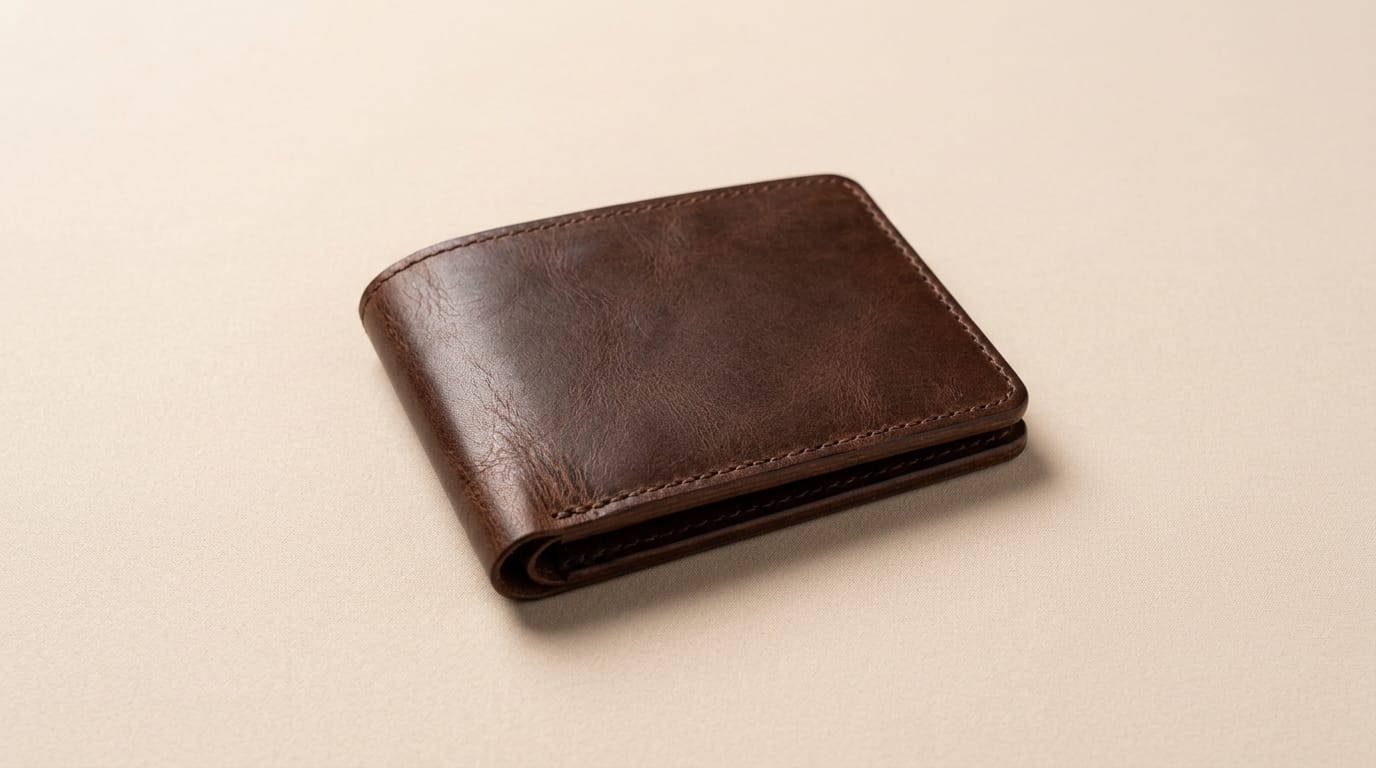
Minimal does not have to mean identical
A catalog can be consistent without placing every item in the same empty beige scene. Different product categories need different visual evidence. A glass bottle benefits from controlled highlights that reveal its shape. A sweater needs visible weave and folds. A metal tool needs edge definition. A chair needs enough floor and wall context to communicate scale.
Build a small set of art directions rather than one universal prompt. For example:
- Catalog neutral: accurate cutout, white or light gray background, restrained contact shadow.
- Warm studio: cream or pale sand background, soft directional light, space for campaign copy.
- Material study: tighter crop and stronger side light to reveal texture.
- Scale reference: one simple prop or environmental cue when dimensions are otherwise unclear.
The common system can live in crop ratios, margins, camera angle, light direction, and color management. The scenes themselves can still respond to the product.
Where AI helps in a production workflow
Background removal
A clean mask separates the product from the capture environment. This is especially useful when sellers upload images made in different rooms or under inconsistent conditions. Edge quality matters more than speed around hair, fur, transparent packaging, bicycle spokes, jewelry, and reflective surfaces.
Background generation
A generated studio background can replace a distracting room or extend the canvas for a new aspect ratio. The safest direction is restrained: simple surfaces, limited props, and lighting that matches the original subject. A background that implies a false use case or scale can mislead the shopper even when the product pixels remain unchanged.
Shadow and grounding
A cutout without a contact shadow often appears to float. The shadow should begin where the object touches the surface, follow the chosen light direction, and soften with distance. It should not conceal edges or create a different footprint from the product.
Enhancement and upscaling
Enhancement can correct exposure and improve a weak source, while upscaling can create a larger delivery asset. Neither operation can recover verified product information that was never captured. Inspect logos, stitching, ports, buttons, printed labels, and repeated patterns after processing. These are common places for generated detail to drift.
A repeatable minimalist workflow
- Preserve the original. Keep the source file and its metadata before any automated edit.
- Normalize capture basics. Correct orientation, exposure, and white balance before background work.
- Create and inspect the mask. Review difficult boundaries against both light and dark backgrounds.
- Choose an approved scene preset. Define background color, crop, camera level, light direction, and shadow behavior.
- Generate only what is needed. Protect the product region when replacing or extending the environment.
- Run product-specific checks. Compare color, geometry, labels, texture, and included accessories with the source.
- Export channel variants. Derive marketplace, storefront, ad, and social sizes from the accepted master.
For high-volume work, store the workflow version with every result. If a preset changes, the team can identify which assets need reprocessing instead of inspecting the entire catalog.
Quality control that catches AI errors
Automated checks can catch missing files, wrong dimensions, low resolution, unexpected transparency, or a product positioned outside the safe area. Visual approval still needs category-aware rules.
Compare the edited image with the original at the same scale. Check silhouette, product count, component placement, packaging text, and dominant color. For a series, switch quickly between adjacent SKUs. Differences in camera height, shadow angle, or object scale become more obvious when the images are viewed as a grid.
Also review the smallest thumbnail used by the storefront. Fine details that look elegant on a large monitor may disappear on mobile. The product should remain recognizable without relying on text embedded in the image.
Using Deep-Image.ai for a minimal catalog look
Start with Remove Background to create a clean subject layer. Use AI Product Photo when a controlled studio environment is needed, and test AI Enhancer Studio or AI Image Upscale on a representative sample before processing the full catalog.
Keep the first test deliberately small. Include your hardest materials and compare the output with current accepted product images. The goal is not the most dramatic transformation. It is a repeatable result that requires less correction while keeping the item accurate.
The bottom line
Minimalist AI product photography works when clarity is treated as a production standard rather than a visual trend. Use a small family of art directions, preserve the source, generate around the product cautiously, and check the details that influence a buying decision.
The best minimalist image feels quiet because every element has a job. The background creates separation, the shadow establishes contact, the crop supports the channel, and the product remains recognizably itself.
