The Childhood Photo Recreation Trend: How AI Restoration Is Fueling Viral Content
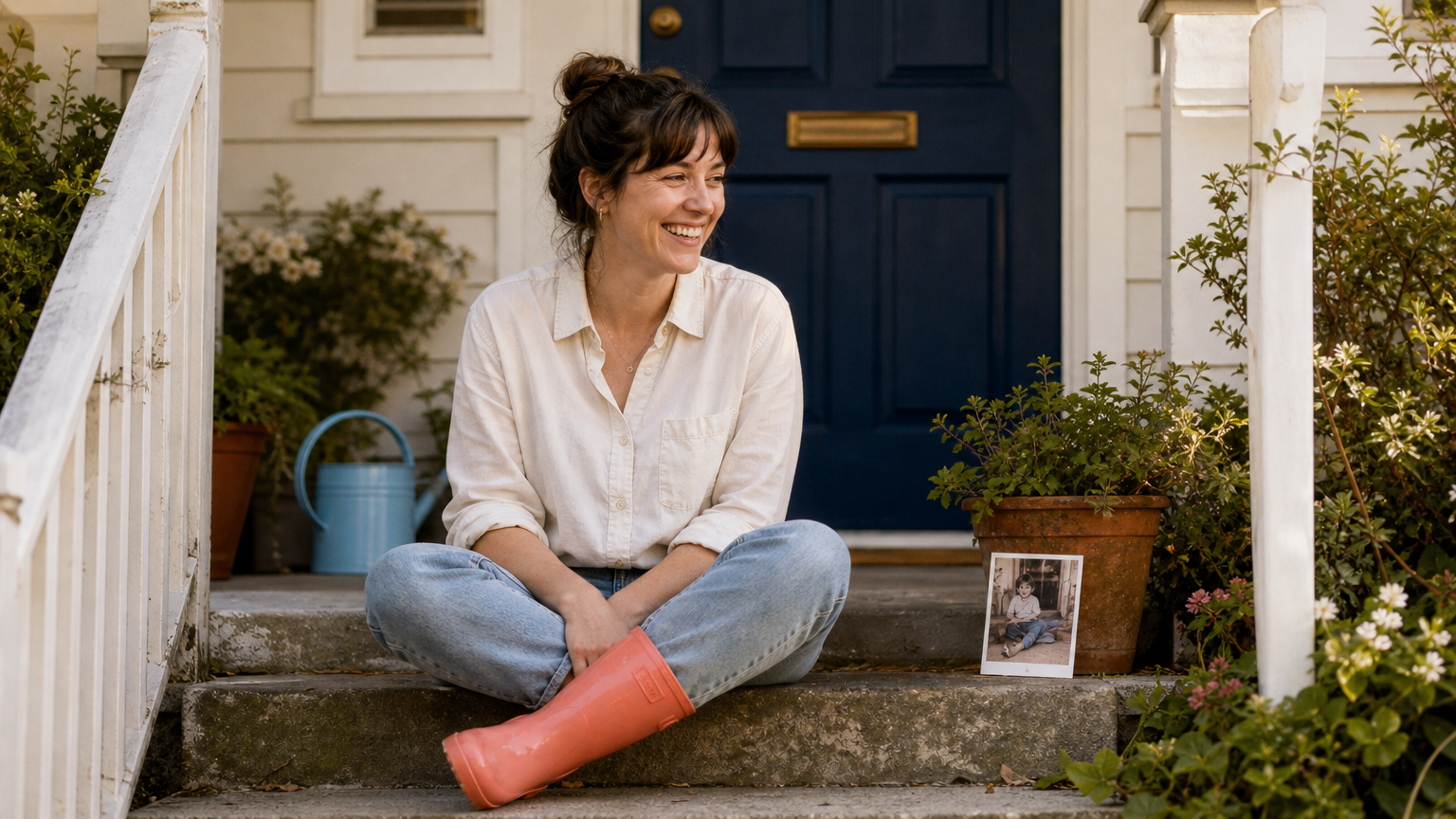
A faded childhood photo can be more than a family keepsake. It can become the starting point for a recreation post: an adult returns to the same place, copies the pose, or places an old image beside a present-day version. AI photo restoration is helping creators prepare those older pictures for the format by making faces, clothing, backgrounds, and small details easier to see before they plan a new shot.
The AI photo restoration trend is not about turning every family image into a flawless modern portrait. The best recreation posts still depend on the original photo, the story behind it, and a present-day image that deliberately echoes it. Restoration is the preparation step. It can reduce distractions such as fading, scan noise, and low resolution so the original reference is easier to interpret and share.
This article is for social media creators and digital archivists who want to use older personal photographs thoughtfully. It explains why the format connects with viewers, how to prepare a reference image without losing its character, and where to draw a line between restoration and invention.
Why childhood photo recreations work on social media
A recreation gives viewers two moments at once. The older image establishes the original setting, relationship, expression, or outfit. The current image provides the contrast: a grown-up subject, a changed location, different family roles, or an attempt to repeat an awkward pose with intent.
The format is easy to understand at a glance, which suits a swipe post, a short video, or a side-by-side edit. It also leaves room for personal details. A viewer might notice that the same house is still standing, a sibling has traded places with a child, or a treasured object appears in both frames.
Some related AI-led posts go further by combining old and current images into a single imagined scene or animating a reunion. Those versions can be moving, but they are also clearly interpretive. A straightforward recreation has a different strength: it lets the real photograph and the present-day response remain visible as separate records.
Why restoration comes before the recreation
Many childhood photos were printed on inexpensive paper, stored in albums, copied several times, or captured with early consumer cameras. By the time a creator wants to use one, it may have a color cast, dust, fold marks, faded contrast, or too few pixels to crop cleanly for a vertical post.
Restoration can make the reference easier to read. That matters when you are trying to identify the original pose, the edge of a doorway, the pattern of a sweater, or the position of people in the frame. A clearer reference also helps you decide which parts of the old image are worth recreating and which details should remain part of the original moment.
Use restoration as a way to reveal what the photo already supports. It should not become a reason to add a missing person, change a facial expression, replace an environment, or create evidence that the source never contained.
A careful workflow for an AI photo restoration trend post
- Start with the best available source. Scan a print at a useful resolution, or locate the earliest digital copy you have. Keep that file unchanged and make a duplicate for editing.
- Name the visible problem. Is the image faded, too dark, softly focused, scratched, or simply too small for your planned crop? A clear diagnosis helps you avoid applying every possible effect.
- Make a restrained working version. Use an image-enhancement pass to improve legibility, then compare it with the source at normal viewing size and close up.
- Plan the new photograph from the reference. Match the details that carry the memory: viewpoint, pose, placement of people, clothing color, or a familiar object. Exact replication is not always possible or necessary.
- Keep the two time periods distinct. Label the older photo as archival or childhood material when context could be unclear. If you create a composite or animation, describe it as an AI-created interpretation.
- Export versions intentionally. Save the original, the restored reference, and the final social asset separately. This makes it easier to revisit the edit without losing the source.
If your reference needs a clearer working copy, AI Enhancer Studio can help you inspect a careful enhancement before planning the recreation. When the file is too small for a crop or a larger display, AI Image Upscale can help create a larger derivative. In both cases, keep the original image alongside the processed version.
What to preserve in an old family photo
Personal photos often carry visual qualities that are part of the memory. A soft flash, film grain, a slightly off-color print, or a worn album edge may not be a technical defect in the same sense as a scratch across someone’s face. Removing every sign of age can make the source feel detached from the time it represents.
Before accepting a restored reference, check the details that matter most:
- Faces: Do proportions, expressions, and distinctive features still resemble the original?
- Clothing and objects: Are patterns, jewelry, toys, signs, and other recognizable details intact?
- Background context: Has the treatment preserved the room, street, furniture, or landscape that helps tell the story?
- Image character: Has useful grain or period-specific color been retained instead of replaced with a smooth, artificial finish?
- Uncertain areas: Has the processing made a damaged region appear more definite than the source supports?
For a deeper look at this distinction, see faithful restoration versus creative AI upscaling. The key principle is simple: a cleaner image can still be faithful, but a plausible new detail is not the same as a recovered detail.
Choose a recreation format that matches the story
The old reference photo should guide the format, not the other way around. A single strong childhood portrait may work best as a two-image carousel. A group photo can become a short sequence that first shows the original and then reveals the present-day recreation. A location with a visible change over time may benefit from a slow transition between the two frames.
Side-by-side comparison
This is the clearest option when the value lies in matching a pose, composition, or family grouping. Keep both images at a similar crop so people can see the relationship quickly. Avoid forcing an exact alignment if it requires stretching or rewriting the old image.
Then-and-now sequence
Use a short video or carousel when there is a story to tell between frames. The opening image establishes the source. The next frame can show the recreation, and a final note can explain what changed or what stayed the same.
Location revisit
If the original place still exists, let the setting do some of the work. Recreating the camera angle at a home, playground, school gate, or family holiday spot can be more meaningful than copying every item of clothing.
For creators who need to adapt the final post to a different placement, Uncrop Image AI can help extend a composition thoughtfully. Review the result closely and do not use an expanded edge to imply that the added area was part of the original childhood scene.
Privacy and consent matter more with family images
Childhood photos can include siblings, friends, classmates, or relatives who did not expect the image to be shared publicly years later. Before posting, consider who appears in the frame, what location details are visible, and whether the image reveals personal information such as a school name, house number, or document on a table.
Ask living people for permission when practical, especially if they are identifiable or the post is commercial. Be cautious with images of children who are not your own. A crop, blur, or decision not to post may be better than assuming a nostalgic image is harmless to share.
Use the same care with AI-generated composites. A merged image of an adult and their younger self is an interpretation, not a historical photograph. Context in the caption helps viewers understand what they are seeing, and it respects the difference between a restored source and a newly created visual.
Common mistakes that weaken the result
Over-restoring the reference
A dramatic enhancement can look impressive in isolation but may erase the qualities that make the old photo recognizably itself. If skin, hair, fabric, or background texture begins to look invented, step back to a lighter version.
Trying to recreate every detail
The emotional point is usually the connection across time, not forensic accuracy. Focus on one or two meaningful anchors, such as the pose and place, rather than making the present-day photo look like a costume set.
Publishing without context
When viewers cannot tell which image is original, restored, recreated, or AI-generated, the post becomes confusing. A short, honest caption can make the format clearer without overexplaining it.
Replacing the original file
Never save over your best scan or original digital image. A preserved source lets you compare future edits, correct a mistake, and retain the version that actually came from the family archive.
Where Deep-Image.ai fits in the process
Deep-Image.ai can support the preparation stage when a faded or small childhood image makes it hard to plan a recreation. Use a working copy in AI Enhancer Studio to improve general clarity, or use Auto Enhance when you want a quick starting point to evaluate. The final decision should still come from a comparison with the source photo.
For old images where a color cast is the main distraction rather than missing resolution, focused light and color work can be more appropriate than a heavy restoration pass. Our guide to light and color correction explains how to treat an existing image while keeping its scene and composition in place.
A useful rule for creators and archivists alike is to make the smallest change that helps the next step. In this case, the next step is not a claim about the past. It is a present-day recreation that lets the original memory lead.
FAQ
Can AI photo restoration make an old childhood photo ready for social media?
It can make a faded, damaged, or small reference image easier to view and crop. Keep the original file, compare the restored version with it, and avoid treating newly inferred detail as verified history.
Should I colorize a childhood photo before recreating it?
Only if color helps your planned post and you clearly understand that the result is interpretive. A colorized version can be useful for a creative format, but it does not reveal colors that are absent from a black-and-white original.
What is the easiest childhood photo recreation format?
A side-by-side post is often the clearest. Use the old image first, then a current photo that repeats one or two meaningful visual elements such as the pose, location, or family arrangement.
Can I use an AI-generated image of my adult and childhood selves together?
You can create an interpretive image, but it should not be presented as a real historical photograph. Make the caption clear about what was restored and what was generated.
How can I protect privacy when sharing family photos?
Check who is identifiable, ask for permission where appropriate, remove sensitive location or personal details, and take extra care with images that include children or people outside your immediate family.
Let the original photo lead
The childhood photo recreation trend works because it connects a real memory to a deliberate present-day response. AI photo restoration can make the original reference easier to use, but it should support that connection rather than overwrite it.
If you want to test the workflow, begin with one meaningful photo, preserve the source, create a restrained working copy in AI Enhancer Studio, and build the recreation around the details that still matter most.
